Notice. New forum software under development. It's going to miss a few functions and look a bit ugly for a while, but I'm working on it full time now as the old forum was too unstable. Couple days, all good. If you notice any issues, please contact me.
This is a standard PicoMite build, no VGA/HDMI/WEB support, except that is has Bluetooth LE support for various devices. I have tested using an Android app proxiOS which emulates keyboard and mouse and gamepad and all work properly. It should work on any reasonably modern bluetooth keyboard - must be Bluetooth LE and not Bluetooth Classic.
Please give it a go and report successes and failures
PhenixRising Guru Joined: 07/11/2023 Location: United KingdomPosts: 2100
Posted: 01:54pm 21 May 2026
Copy link to clipboard
Print this post
Cheers for the heads-up re: Android app proxiOS. Bit unusual that the Shift keys latch, like a Caps-lock but no big deal.
Edit: Oh, in the Trackpad screen, I can select my regular Android KB...Better Edited 2026-05-22 00:03 by PhenixRising
matherp Guru Joined: 11/12/2012 Location: United KingdomPosts: 12051
Posted: 07:29am 22 May 2026
Copy link to clipboard
Print this post
Anybody had a play?
Peter63 Senior Member Joined: 28/07/2017 Location: SwedenPosts: 217
Posted: 08:04am 22 May 2026
Copy link to clipboard
Print this post
will get back when I have tested further... Edited 2026-05-22 18:16 by Peter63
Peter63 Senior Member Joined: 28/07/2017 Location: SwedenPosts: 217
Posted: 08:31am 22 May 2026
Copy link to clipboard
Print this post
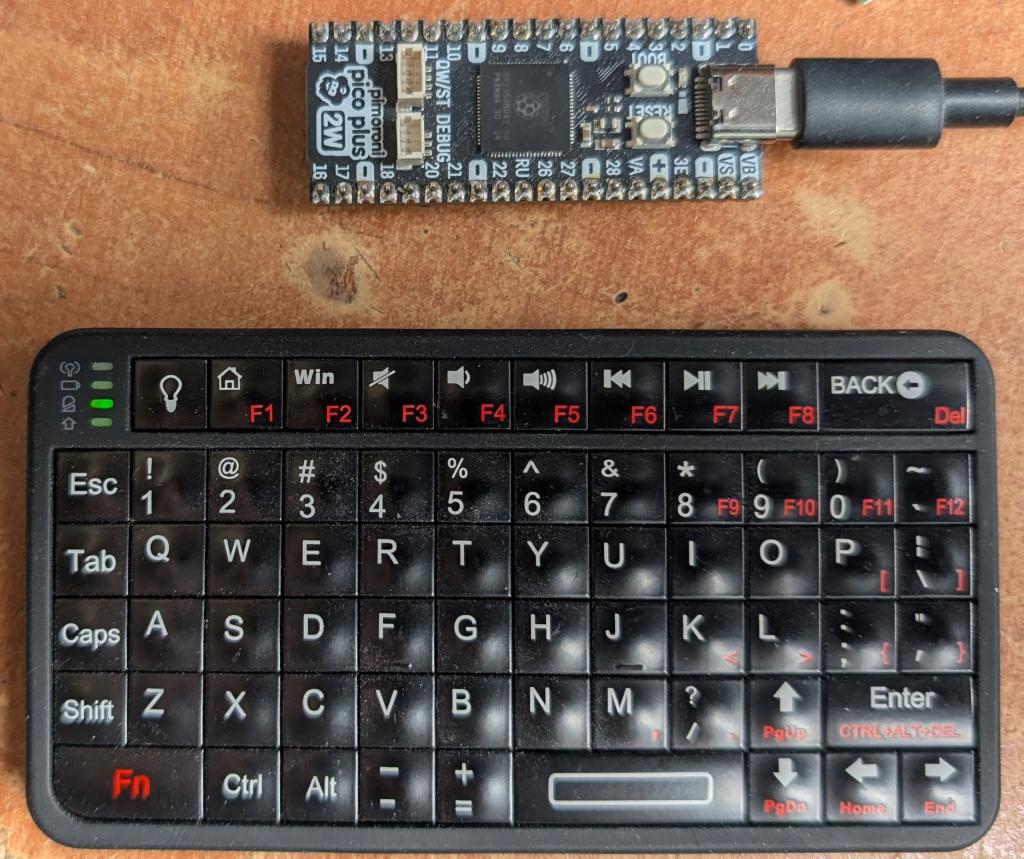
Now I have tested this keyboard, and it works OK
/Peter63
mozzie Guru Joined: 15/06/2020 Location: AustraliaPosts: 469
Posted: 08:42am 22 May 2026
Copy link to clipboard
Print this post
G'day Peter, The only Pico device missing from my collection is a 2W of any flavor, got a couple on order and am looking forward to giving this a try when they arrive. If there is a possibility of getting it working on a Pico-1W I have a couple of them (somewhere)
Is there a plan to implement this in the HDMI/VGA firmware in the future or is this always going to be stand alone?
Can you also confirm you read my post in the RC thread regarding a possible bug in the I2C system?
Also still waiting for my "mate" to return my CNC driver system to do some further testing of the stepper system, he borrowed mine "for a couple of days" 3 weeks ago now. And they wonder why I get grumpy.....
Regards, Lyle.
matherp Guru Joined: 11/12/2012 Location: United KingdomPosts: 12051
Posted: 09:19am 22 May 2026
Copy link to clipboard
Print this post
Peter Does the trackpad and game controls on that keyboard work?. You can use the device(mouse and device(gamepad functions to test them. Edited 2026-05-22 19:19 by matherp
PhenixRising Guru Joined: 07/11/2023 Location: United KingdomPosts: 2100
Posted: 09:44am 22 May 2026
Copy link to clipboard
Print this post
My to-do list is looking a bit scary....grows every day.
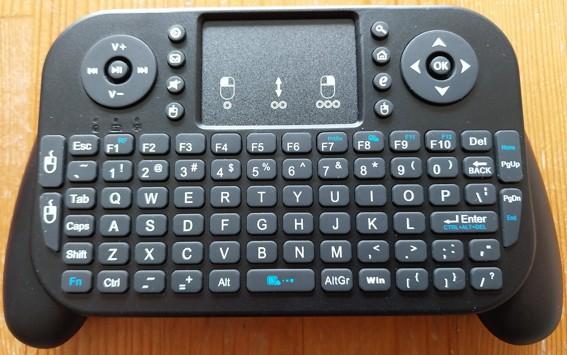
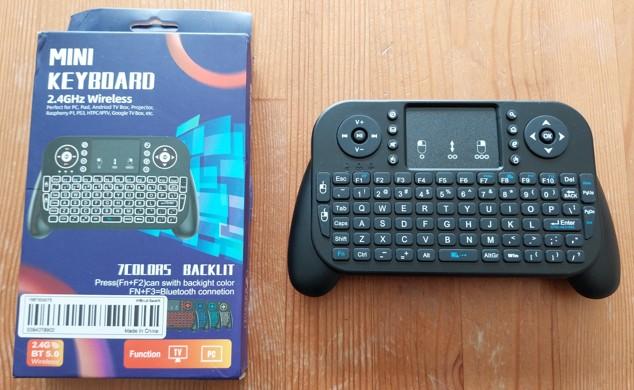
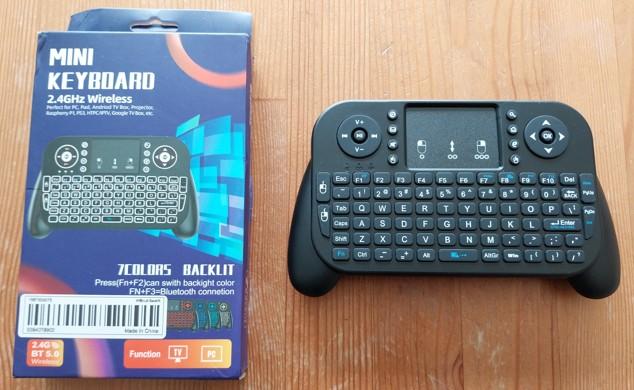
I really like the look of that Mini Keyboard
Peter63 Senior Member Joined: 28/07/2017 Location: SwedenPosts: 217
Posted: 02:48pm 22 May 2026
Copy link to clipboard
Print this post
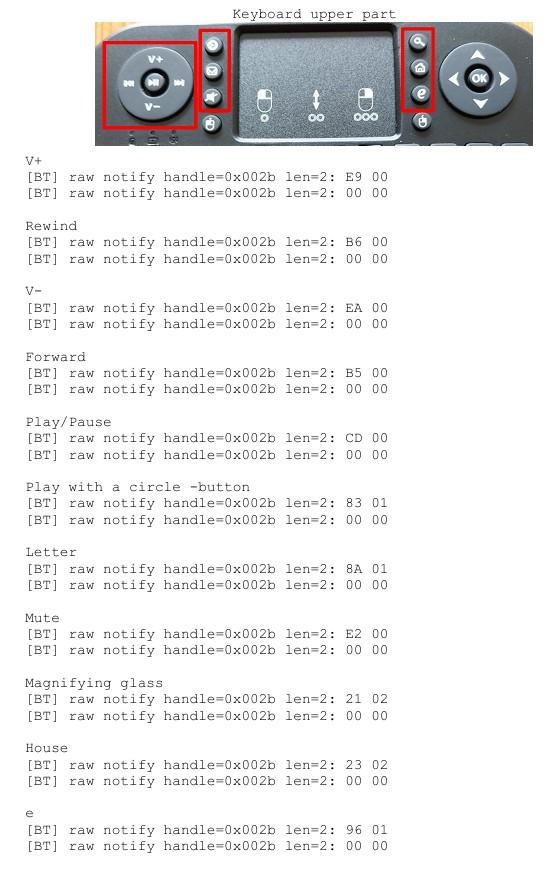
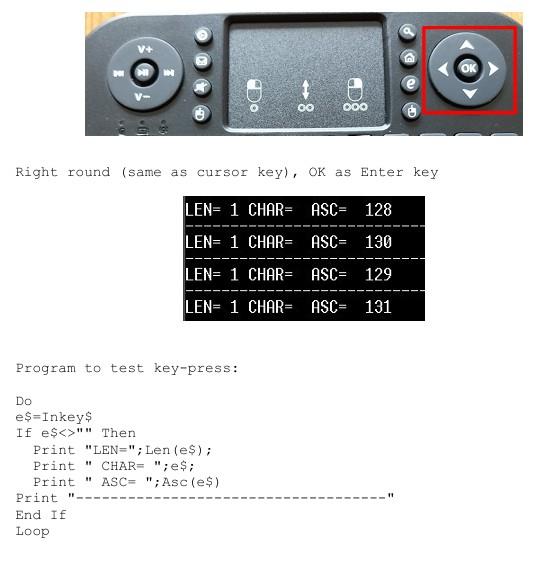
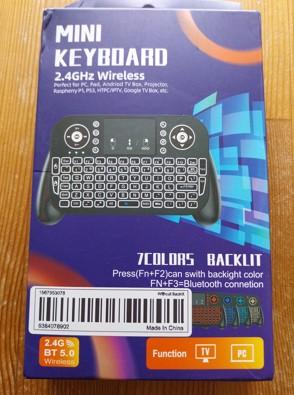
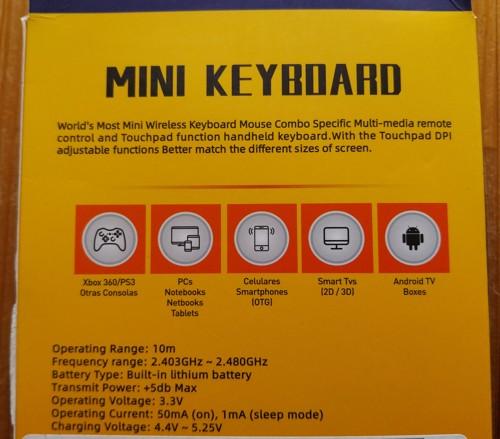
a few more tests I did on the mini keyboard
I can't get the trackpad to work, nor the mouse buttons.
/Peter63
homa Guru Joined: 05/11/2021 Location: GermanyPosts: 723
Posted: 03:38pm 22 May 2026
Copy link to clipboard
Print this post
Hi Peter,
Are you planning a command or function that regularly updates a list of detected Bluetooth devices (MAC address) in an array, along with their RSSI values? Something like a Bluetooth beacon scanner? That would be absolutely brilliant on a Pico with web support!
Matthias
Peter63 Senior Member Joined: 28/07/2017 Location: SwedenPosts: 217
Posted: 07:11am 23 May 2026
Copy link to clipboard
Print this post
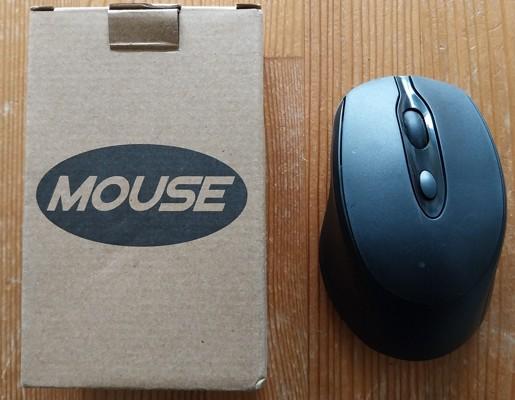
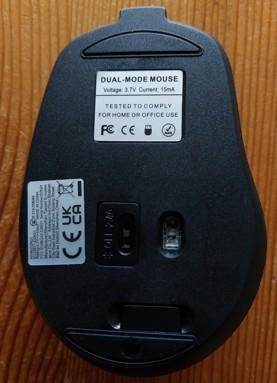
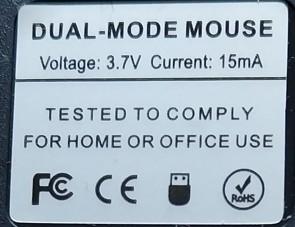
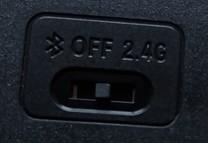
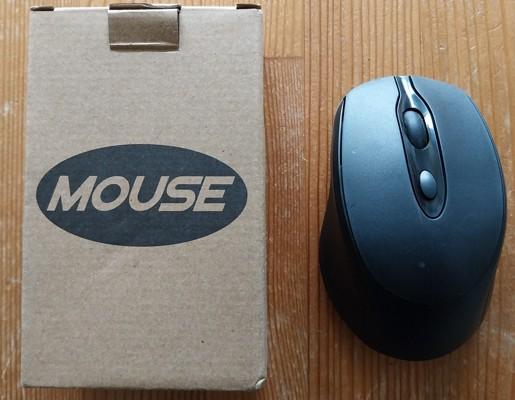
Hello, Peter I thought I would try this mouse.
I don't really know how to test this, what device number does a BT mouse get?
/Peter63
matherp Guru Joined: 11/12/2012 Location: United KingdomPosts: 12051
Posted: 07:12am 23 May 2026
Copy link to clipboard
Print this post
It will always get 2 unless already occupied, Keyboard 1, mouse 2, gamepad 3
Peter63 Senior Member Joined: 28/07/2017 Location: SwedenPosts: 217
Posted: 07:41am 23 May 2026
Copy link to clipboard
Print this post
Tested the mouse with this program:
xold=DEVICE(mouse 2,X) yold=DEVICE(mouse 2,Y) Do x=DEVICE(mouse 2,X) y=DEVICE(mouse 2,Y) b=DEVICE(mouse 2,L) r=DEVICE(mouse 2,R) m=DEVICE(mouse 2,M) d=DEVICE(mouse 2,D) If x<>xold Or y<>yold Then Print "X";x;:xold=x: Print " Y";y:yold=y If b Then Print "Left mouse button":Pause 200 If r Then Print "Right mouse button":Pause 200 If m Then Print "Middle mouse button":Pause 200 If d Then Print "Double click of the left mouse button":Pause 200 Loop End
, and it works.
The middle button was the one that did not work on this mouse.
/Peter63
Peter63 Senior Member Joined: 28/07/2017 Location: SwedenPosts: 217
Posted: 09:31am 23 May 2026
Copy link to clipboard
Print this post
I tested the mini keyboard again. Wanted to see if the trackpad worked, and sure enough it worked. Used the same program that I used when I tested the mouse.
/Peter63
matherp Guru Joined: 11/12/2012 Location: United KingdomPosts: 12051
Peter63 Senior Member Joined: 28/07/2017 Location: SwedenPosts: 217
Posted: 02:19am 04 Jun 2026
Copy link to clipboard
Print this post
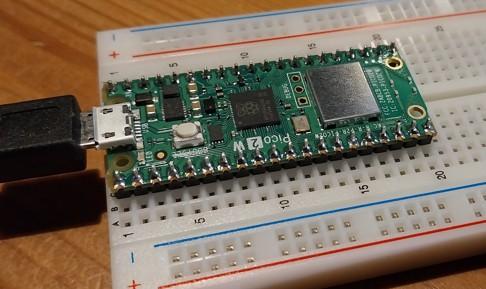
I have tested version RC15 on the original Pico 2W, works fine.
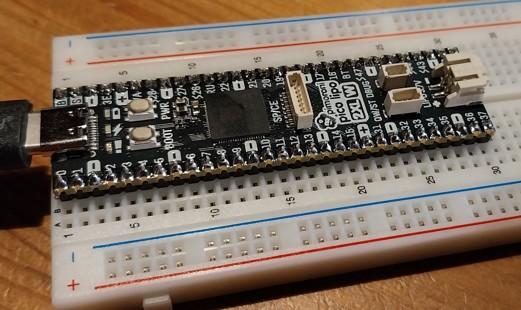
Also tested on Pimoroni Pico LiPo 2 XLW, but does not work.
> option list PicoMiteBTH MMBasic RP2350B V6.03.00RC15 OPTION FLASH SIZE 16777216 OPTION COLOURCODE ON OPTION KEYBOARD US OPTION PICO OFF OPTION CPUSPEED (KHz) 200000
Both were completely new, before loading RC15
/Peter63
mozzie Guru Joined: 15/06/2020 Location: AustraliaPosts: 469
Posted: 04:07pm 15 Jun 2026
Copy link to clipboard
Print this post
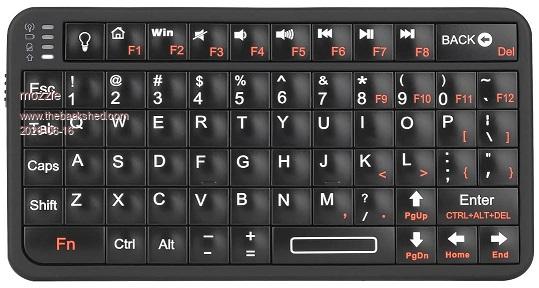
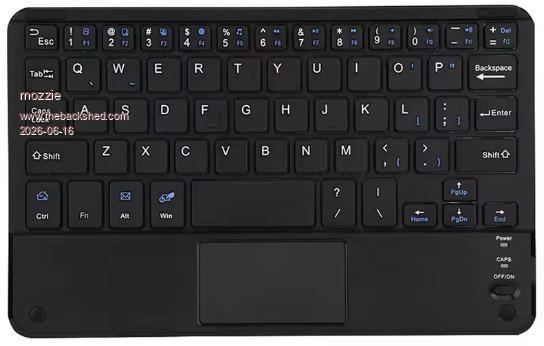
G'day, Results of some testing for reference. Original RP Pico2W. Keyboards listed as BlueTooth 4 or 5 seem to work fine, BlueTooth 3 (only one sample) does not.
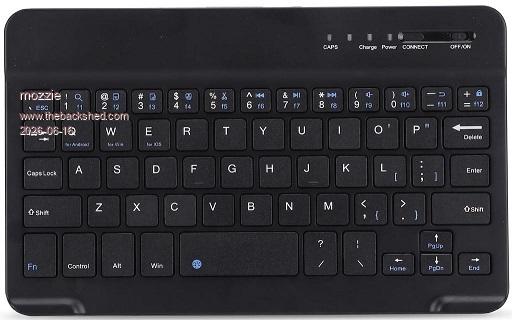
Generic "Bewinner" 7-8" bluetooth keyboard, usually comes in "leather" folder for tablet. Works well, big enough to type on, no backlight.
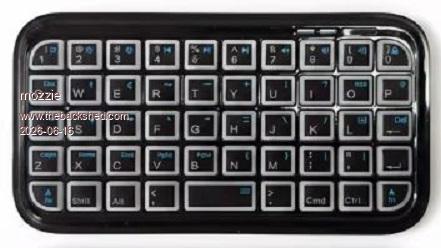
Generic "Micro" bluetooth keyboard. Do yourself a favour and spend a bit more on the Rii 518bt. Works, too small for easy typing, has backlight.
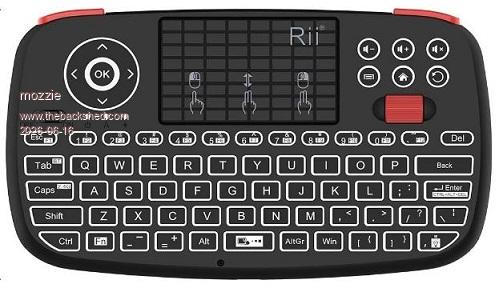
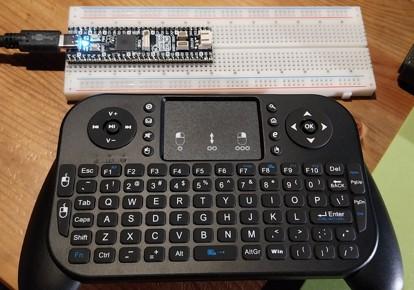
Rii I4 dual mode keyboard / trackpad. Works well, too small for easy typing, trackpad works, has backlight.
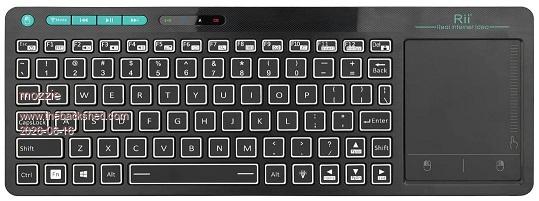
Rii RT518S dual mode keyboard / trackpad. Be careful, the K18 looks identical but is 2.4Ghz only. Works well, big enough to type on, trackpad works, has backlight.
Rii 518BT keyboard. Works well, key shape makes it fairly good to type on despite tiny size, has backlight.
The Rii keyboards are a bit more expensive than the generic stuff but seem to be pretty consistant. I have a few others and they survive abuse in the workshop quite well. Only things that fail to work are the scroll wheel / scroll function and the CAPS LOCK LED.
Thanks again to Peter for implementing this, could prove to be very handy.
Regards, Lyle.
mozzie Guru Joined: 15/06/2020 Location: AustraliaPosts: 469
Posted: 04:13pm 15 Jun 2026
Copy link to clipboard
Print this post
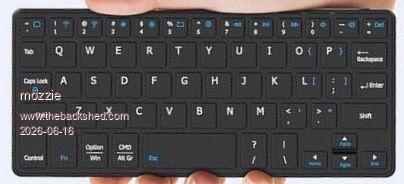
And those that didn't work:
Generic "Magnetic Bluetooth keyboard / touchpad", this shows as "BlueTooth 3"
And be wary of these, no function keys could make life difficult.
Regards, Lyle.
Peter63 Senior Member Joined: 28/07/2017 Location: SwedenPosts: 217

 Notice. New forum software under development. It's going to miss a few functions and look a bit ugly for a while, but I'm working on it full time now as the old forum was too unstable. Couple days, all good. If you notice any issues, please contact me.

 Print this post

 to return my CNC driver system to do some further testing of the stepper system, he borrowed mine "for a couple of days" 3 weeks ago now. And they wonder why I get grumpy.....