Notice. New forum software under development. It's going to miss a few functions and look a bit ugly for a while, but I'm working on it full time now as the old forum was too unstable. Couple days, all good. If you notice any issues, please contact me.
Zonker Guru Joined: 18/08/2012 Location: United StatesPosts: 772
Posted: 02:36am 06 Aug 2025
Copy link to clipboard
Print this post
By chance, would MM firmware run on this device..?? I can't seem to find any info on what display is being used... Wondering if anyone else would know more about it...
WhiteWizzard Guru Joined: 05/04/2013 Location: United KingdomPosts: 2994
Posted: 05:26am 06 Aug 2025
Copy link to clipboard
Print this post
Hi Zonker
This is the info relating to the screen. Not tried it with a PicoMite myself, but someone else may be able to comment about compatability….
Display Chip ST7789V3 Display Interface SPI Resolution 172(H)RGB x 320(V) Display Size 17.39mm × 32.35 mm Display Panel IPS Pixel Pitch 0.0337mm × 0.1011 mm Edited 2025-08-06 15:26 by WhiteWizzard
Mixtel90 Guru Joined: 05/10/2019 Location: United KingdomPosts: 9238
Posted: 09:19am 06 Aug 2025
Copy link to clipboard
Print this post
That screen resolution isn't currently supported in MMBasic according to the manual, even if the display will work, as that version isn't listed either.
PhenixRising Guru Joined: 07/11/2023 Location: United KingdomPosts: 2100
Posted: 09:25am 06 Aug 2025
Copy link to clipboard
Print this post
Which is why I love the DIL module; pins are nicely spread-out and a carrier-board with only the required peripherals is easy to design.
Zonker Guru Joined: 18/08/2012 Location: United StatesPosts: 772
Posted: 03:14am 07 Aug 2025
Copy link to clipboard
Print this post
Device ordered...
v.lenzer Senior Member Joined: 04/05/2024 Location: GermanyPosts: 157
Posted: 10:43am 28 Jan 2026
Copy link to clipboard
Print this post
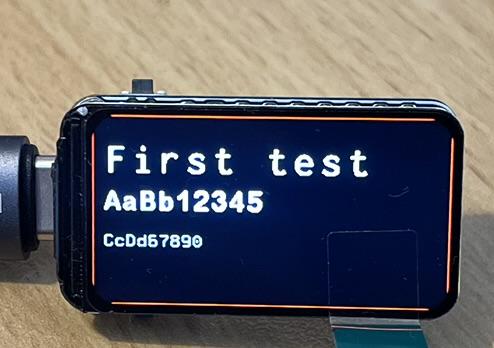
The display with the RP2350 intrigued me, so I bought one without pins. A computer-savvy colleague suggested it, and I recommended it in MMBasic. It worked for him. Now I've started testing it myself, and this is my first result.
Because the display has rounded corners, you can't draw right up to the edge. The image is perfectly sharp. Unfortunately, I can't capture it any better in a photo. Loading files also worked for my colleague, and he was able to display .jpg files.
According to the description, the RP also has a built-in temperature sensor and a clock. I still need to test those features and image loading. But I'm very happy with my initial results.
A lovely toy Attaching the module is a bit tricky, but a 3D printer will certainly help.
v.lenzer Senior Member Joined: 04/05/2024 Location: GermanyPosts: 157
Posted: 02:41pm 29 Jan 2026
Copy link to clipboard
Print this post
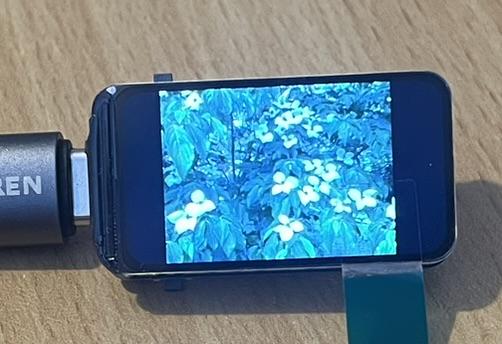
Images are very easy to import. The quality is very good. I didn't expect that. The image format must be N x 172, where N cannot be larger than 320. Using `<load jpg "name.jpg", X, 34>`, you can get the image to fill the screen completely, both top and bottom. X is 40 for my image format, so it's nicely centered on the display.
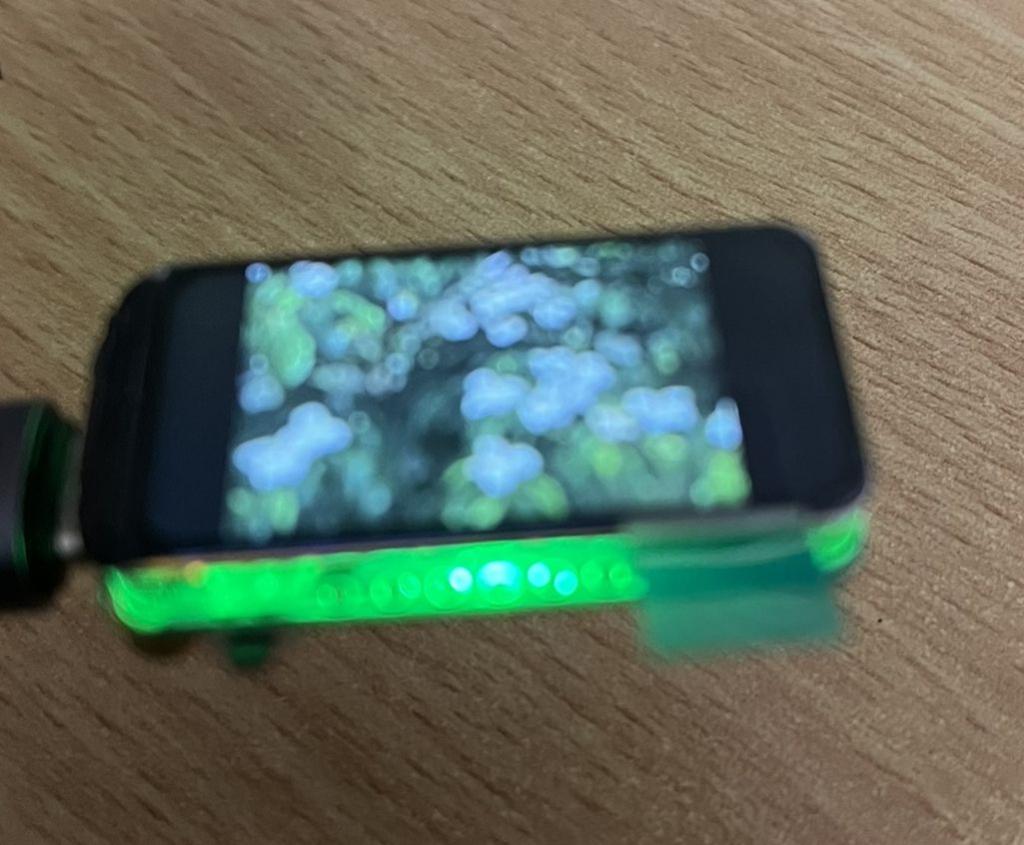
The GPIO for the RGB LED is 22. Since the LCD frame is transparent, the light is diffused all around. It looks good. However, the colors are reversed. I haven't figured out why yet.
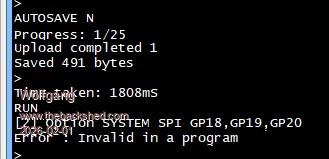
I couldn't find any I2C pinout in the schematic. Presumably, you can't read a clock or a temperature sensor. I have no idea what the manufacturer was thinking with that description. I also can't find a GPIO for a one-wire connection.
The photos don't do the image quality justice. Please keep that in mind.
Edited 2026-01-30 00:48 by v.lenzerBest wishes! Joachim
Arne Regular Member Joined: 05/01/2025 Location: GermanyPosts: 64
v.lenzer Senior Member Joined: 04/05/2024 Location: GermanyPosts: 157
Posted: 05:57pm 29 Jan 2026
Copy link to clipboard
Print this post
Hi Arne!
Thanks for the tip. I already had those sources, and they don't mention how to access the clock or the temperature sensor.Best wishes! Joachim
matherp Guru Joined: 11/12/2012 Location: United KingdomPosts: 12058
Posted: 06:12pm 29 Jan 2026
Copy link to clipboard
Print this post
There is no clock, they are just referring to the RP2350A chips own timers which are used for time$ etc. Likewise, there is no temperature sensor other than the chips internal one PIN(TEMP)
v.lenzer Senior Member Joined: 04/05/2024 Location: GermanyPosts: 157
Posted: 10:59am 30 Jan 2026
Copy link to clipboard
Print this post
Yes, I agree. I thought so too, since there's no way to power the watch with batteries.
But whatever. It's still a nice toy. I'm sure I'll find a use for it somewhere.Best wishes! Joachim
PhenixRising Guru Joined: 07/11/2023 Location: United KingdomPosts: 2100
Posted: 04:44pm 30 Jan 2026
Copy link to clipboard
Print this post
So there's a RGB LED behind the display that shines through?
v.lenzer Senior Member Joined: 04/05/2024 Location: GermanyPosts: 157
Posted: 10:19am 31 Jan 2026
Copy link to clipboard
Print this post
No, the light doesn't shine through the display. It's only visible at the edges. It's noticeable that the color numbers don't correspond to standard LEDs. For example, RGB (red) produces green, RGB (green) produces red, but RGB (blue) produces blue.
Sorry about the poor photo quality. I wanted to show the entire light.
Best wishes! Joachim
Mixtel90 Guru Joined: 05/10/2019 Location: United KingdomPosts: 9238
Posted: 10:29am 31 Jan 2026
Copy link to clipboard
Print this post
This colour difference is the same on the YD-RP2040. It seems to be a different variation of the WS2812 than we are normally used to. Easy enough to work round once you are aware of it.Mick

 Notice. New forum software under development. It's going to miss a few functions and look a bit ugly for a while, but I'm working on it full time now as the old forum was too unstable. Couple days, all good. If you notice any issues, please contact me.


 Print this post