Notice. New forum software under development. It's going to miss a few functions and look a bit ugly for a while, but I'm working on it full time now as the old forum was too unstable. Couple days, all good. If you notice any issues, please contact me.
DNSGeek Newbie Joined: 22/12/2025 Location: United StatesPosts: 6
Posted: 04:46pm 22 Feb 2026
Copy link to clipboard
Print this post
If anyone uses VSCode, I have put together a VSCode extension to support MMBasic. It's not 100% complete yet, but I think it's close enough to be usable. Please try it and let me know what's missing or what you would like changed. I'm also very receptive to pull requests if you would like to like to contribute. Thanks!
matherp Guru Joined: 11/12/2012 Location: United KingdomPosts: 12057
Posted: 05:05pm 22 Feb 2026
Copy link to clipboard
Print this post
Great minds....
You could have a play with this one too.
mmbasic-support-0.0.7.zip Syntax highlighting for MMBasic commands, functions, types, numbers, strings, comments, subcommands (e.g., Sprite static), and PIO/GUI/etc. sub-structures. Folding/indent rules for MMBasic blocks (If/End If, For/Next, Sub/End Sub, Select/Case, etc.). Snippets generated from the command set for quick insertion. Theme: “MMBasic Editor” matching PicoMite color scheme; numbers green, keywords cyan. Serial console: opens a terminal on a chosen port, auto-reconnects after PicoMite OPTION/restart drops USB CDC. Uploader: “Send To PicoMite” (Ctrl+Alt+U on Windows/Linux, Cmd+Alt+U on macOS) uses AUTOSAVE over the selected serial port, with configurable baud and line delay. Cross-platform packaging: single VSIX works on Windows, macOS, Linux; serialport uses prebuilds or rebuilds if needed.
dddns Guru Joined: 20/09/2024 Location: GermanyPosts: 924
Posted: 05:39pm 22 Feb 2026
Copy link to clipboard
Print this post
What a great idea to do that ..finally! I think it will be beneficial for many people. Good luck!
karlelch Guru Joined: 30/10/2014 Location: GermanyPosts: 361
karlelch Guru Joined: 30/10/2014 Location: GermanyPosts: 361
Posted: 10:33pm 23 Feb 2026
Copy link to clipboard
Print this post
Maybe Picom could be integrated to support full backup and restore of a picomite … Edited 2026-02-24 08:33 by karlelch
DNSGeek Newbie Joined: 22/12/2025 Location: United StatesPosts: 6
Posted: 01:19am 01 Mar 2026
Copy link to clipboard
Print this post
I updated the extension so it's up to date as of 6.02.00. Updated the tooltips, autocomplete, keywords, etc.
I added a remote debugger
I added file browsing. View, Upload, Download, Edit and Delete files directly on your device.
I've tested it on macOS and Linux, with PicoCalc devices running PicoMite and WebMite. It should work on everything, but if you run into any issues let me know. There is a vsix file provided in the Releases for easy installing.
Peter63 Senior Member Joined: 28/07/2017 Location: SwedenPosts: 217
Posted: 05:14am 01 Mar 2026
Copy link to clipboard
Print this post
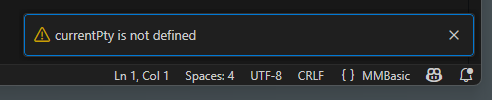
I get a message when I try to send the program (CTRL+Alt+U)
What could be the problem...
Yes, I am a beginner at VSCODE
/Peter63
karlelch Guru Joined: 30/10/2014 Location: GermanyPosts: 361
Posted: 07:29am 01 Mar 2026
Copy link to clipboard
Print this post
Thanks for the update and for providing a vsix file. I was about to try the earlier version under Windows but stopped the installation because I got may warnings about unsafe packages. I’ll try the new version later today.
Best Thomas
Peter63 Senior Member Joined: 28/07/2017 Location: SwedenPosts: 217
Posted: 03:48pm 01 Mar 2026
Copy link to clipboard
Print this post
A small update from me. Sending programs to PicoMite now works from VSCODE (I had to activate Terminal first...)
Using: mmbasic-support-0.0.7.zip (VSIX-file) /Peter63 Edited 2026-03-02 01:51 by Peter63
Peter63 Senior Member Joined: 28/07/2017 Location: SwedenPosts: 217
Posted: 03:57pm 01 Mar 2026
Copy link to clipboard
Print this post
DNSGeek , I Cannot find VSIX file, sorry
/Peter63
DNSGeek Newbie Joined: 22/12/2025 Location: United StatesPosts: 6
Posted: 04:41pm 01 Mar 2026
Copy link to clipboard
Print this post
Go to the repository page. In the right hand column, you'll see a block titled "Releases". Click on the bolded word Releases and it will take you to the page with all of the files, including the most recent vsix file.
I didn't just link directly to the release page because I wanted to show you how to get to it so you know how find it on every GitHub repo that does releases.
Peter63 Senior Member Joined: 28/07/2017 Location: SwedenPosts: 217
Posted: 04:49pm 01 Mar 2026
Copy link to clipboard
Print this post
Thanks, will try a bit later. /Peter63
Peter63 Senior Member Joined: 28/07/2017 Location: SwedenPosts: 217
Posted: 12:18am 03 Mar 2026
Copy link to clipboard
Print this post
DNSGeek Have installed the VSIX file. But sending the program to PicoMite, I don't think seems clear to me, how it is supposed to work? Maybe use autosave, as it is used in the VSIX file from (matherp)? I might not be doing it the right way, a bit new to VSCODE /Peter63
DNSGeek Newbie Joined: 22/12/2025 Location: United StatesPosts: 6
Posted: 04:23am 03 Mar 2026
Copy link to clipboard
Print this post
Open VSCode settings and search for "MMBasic". Edit your serial port, if you're using a Mac it's probably /dev/ttyUSB0, if you're using Windows it's something like COM3. Make sure your baud rate is correct, it's probably going to be 115200.
Save your settings.
When you're ready to load/save to your Pico, open the Command Palette (Ctrl-Shift-P)
### Serial Connection | Command | Keyboard Shortcut | Description | |---------|------------------|-------------| | `MMBasic: Connect to Device` | - | Connect to serial port | | `MMBasic: Disconnect from Device` | - | Disconnect from device | | `MMBasic: Send Current File to Device` | `Ctrl+Shift+U` | Upload entire file | | `MMBasic: Send Selection to Device` | `Ctrl+Enter` | Send selected code or current line | | `MMBasic: Run Program on Device` | `Ctrl+Shift+R` | Execute the program | | `MMBasic: Stop Program` | - | Stop running program (Ctrl+C) | | `MMBasic: List Files on Device` | - | Show files stored on device | | `MMBasic: Clear Terminal` | - | Clear output window |
### File Browser (v1.2.0) | Command | Description | |---------|-------------| | `MMBasic: Refresh Files` | Reload file list from device | | `MMBasic: Upload File to Device` | Upload local file | | `MMBasic: Download File` | Download file from device | | `MMBasic: Delete File` | Delete file from device |

 Notice. New forum software under development. It's going to miss a few functions and look a bit ugly for a while, but I'm working on it full time now as the old forum was too unstable. Couple days, all good. If you notice any issues, please contact me.

 Print this post