Notice. New forum software under development. It's going to miss a few functions and look a bit ugly for a while, but I'm working on it full time now as the old forum was too unstable. Couple days, all good. If you notice any issues, please contact me.
hhtg1968 Senior Member Joined: 25/05/2023 Location: GermanyPosts: 222
Posted: 06:29am 26 Sep 2026
Copy link to clipboard
Print this post
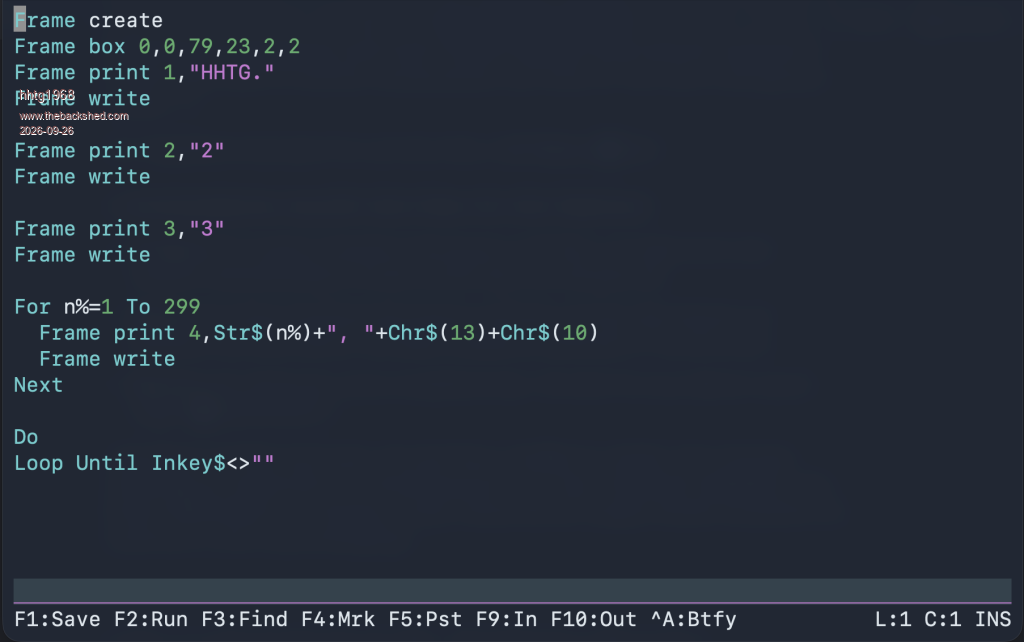
I tested the "frame" commands on my pico2 with rp2350 and mmbasic 6.04.00rc1.
my Shell (z shell (zsh)) on Macos uses the font "SF Mono Terminal". google gemini says this font has the "drawing boxes characters" but my little test program shows strange symbols.
I upload images wich show the .bas-file and the result.
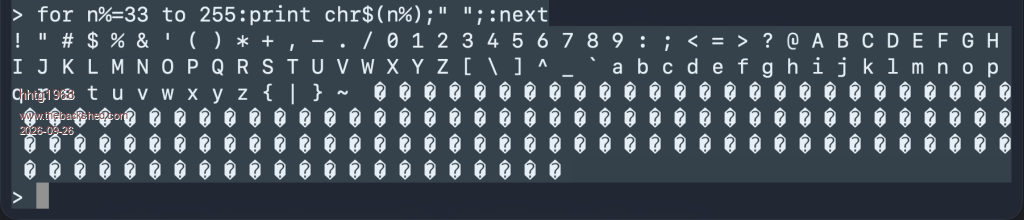
I also upload a picture of a test to print chars 33-255. half of the chars are strange. is this a problem of ascii or utf-8? I am not a terminal specalist...
where is my mistake?
hhtg
hhtg1968 Senior Member Joined: 25/05/2023 Location: GermanyPosts: 222
Posted: 06:57am 26 Sep 2026
Copy link to clipboard
Print this post
I thought my Shell does not print chars above 7bit (127).
but with printf in the shell i can show a box.
see the image:
JohnS Guru Joined: 18/11/2011 Location: United KingdomPosts: 4385
Posted: 07:04am 26 Sep 2026
Copy link to clipboard
Print this post
OK, you're using zsh but what terminal program?
Also, what link - USB on the Mac? Connected with a com port on the Pico or what?
I suspect it's the terminal program not liking whatever the Pico is sending.
John
hhtg1968 Senior Member Joined: 25/05/2023 Location: GermanyPosts: 222
Posted: 07:15am 26 Sep 2026
Copy link to clipboard
Print this post
I connected the pico via usb to my mac.
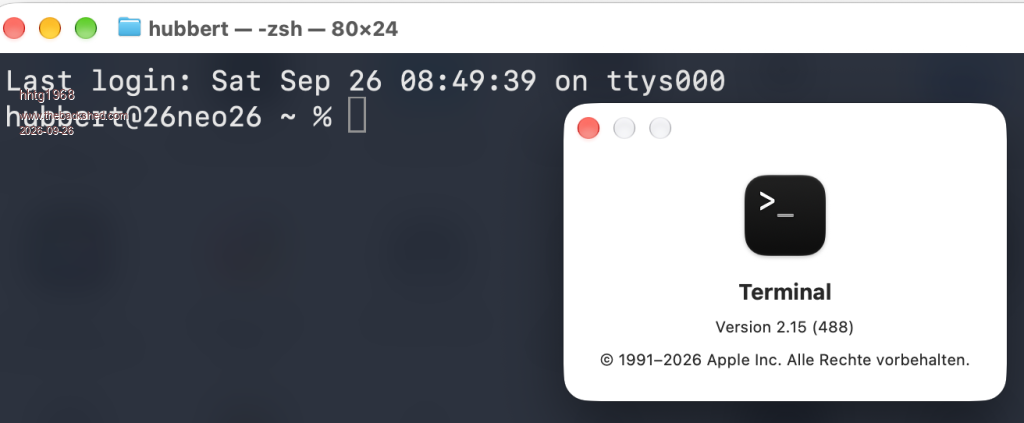
I use the standard Terminal App in Macos, look at the picture attached.
TassyJim Guru Joined: 07/08/2011 Location: AustraliaPosts: 6619
Posted: 07:35am 26 Sep 2026
Copy link to clipboard
Print this post
Does your terminal program allow you to select code pages? You need code page 437.
Also, you terminal program might default to 7bit ASCII You need 8 bit
Mixtel90 Guru Joined: 05/10/2019 Location: United KingdomPosts: 9151
Posted: 07:43am 26 Sep 2026
Copy link to clipboard
Print this post
The font used on the terminal emulator is not the font that the PicoMite will display, they are independent. The Pico may display correctly on its own LCD, VGA or HDMI display while the terminal emulator shows rubbish because it's not got a font that has the necessary graphic characters (or, indeed, any characters at all) above chr$(127).Mick
JohnS Guru Joined: 18/11/2011 Location: United KingdomPosts: 4385
Posted: 09:40am 26 Sep 2026
Copy link to clipboard
Print this post
printf '\u...'
is Unicode I expect, which the Pico won't be sending AFAIK.
John Edited 2026-09-26 19:40 by JohnS
hhtg1968 Senior Member Joined: 25/05/2023 Location: GermanyPosts: 222
Posted: 09:53am 26 Sep 2026
Copy link to clipboard
Print this post
are the fonts (mmbasic and ascii or utf-8) completely different at >127?
that could mean, the frame commands will not work on vt100. I will try to find the solution...
frame commands are able scroll parts of the screen. wether this is possible at vt100? only through new writing a cached screen (text) area I think.
matherp Guru Joined: 11/12/2012 Location: United KingdomPosts: 11913
Posted: 09:57am 26 Sep 2026
Copy link to clipboard
Print this post
MMBasic fonts and teraterm with the correct character set (437) are equivalent for these drawing characters. Anything that appears on the MMbasic screen will be identical on teraterm - that was my testing environment. Whether a MAC can do anything sensible - who knows?
thwill Guru Joined: 16/09/2019 Location: United KingdomPosts: 4402
Posted: 10:26am 26 Sep 2026
Copy link to clipboard
Print this post
As @TassyJim said it's all about the "code page" being used by your terminal. Hunt around in the terminal preferences, it might be under something like "Compatibility", or "Encoding", or possibly "Obsolete Encoding". You need to select CP437 or strangely enough CP862 (Hebrew) as these contain the box-drawing characters at the expected extended-ASCII values.
Note that there will still be other esoteric MMBasic characters that are not displayed correctly, those require the correct 8-bit bitmap font (CMM2f1.fon) installed and a terminal application capable of using it (TeraTerm on Windows).
TassyJim Guru Joined: 07/08/2011 Location: AustraliaPosts: 6619
Posted: 11:18am 26 Sep 2026
Copy link to clipboard
Print this post
If you can find a font that draws a box with ~ % printf '\u00da\u00c4\u00bf\\n\r\u00b3 \u00b3\n\r\u00c0\u00c4\u00d9\n\r'VK7JH MMedit
Mixtel90 Guru Joined: 05/10/2019 Location: United KingdomPosts: 9151
Posted: 02:00pm 26 Sep 2026
Copy link to clipboard
Print this post
The VT100 frame command isn't the same as the PicoMite frame command. The latter is a pseudo-graphics command for drawing boxes. The VT100 scrolls screen areas, also called frames. A little confusing. :)Mick
hhtg1968 Senior Member Joined: 25/05/2023 Location: GermanyPosts: 222
Posted: 02:44pm 26 Sep 2026
Copy link to clipboard
Print this post
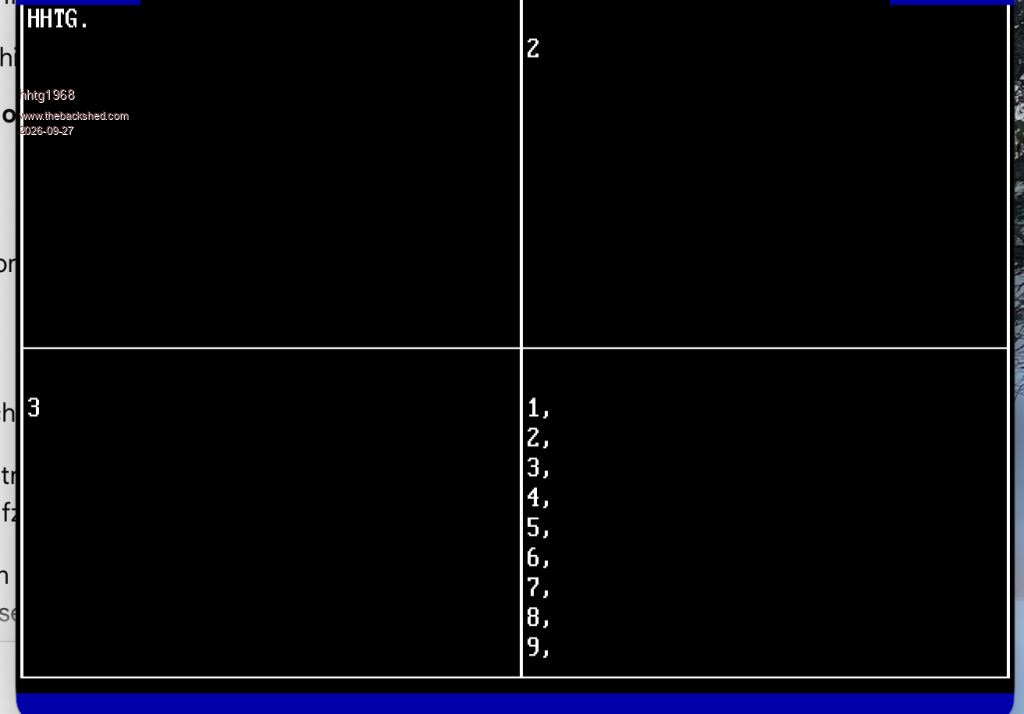
hello. it depends on the terminal programm. macos does not want to use ascii or code pages, but only utf-8.
I tried several non apple terminal apps. some can use code page 437 an it runs...
have a look at the attached image...
from a programm called "syncterm".
ebbandflow Regular Member Joined: 31/08/2023 Location: United StatesPosts: 60
Posted: 02:46am 28 Sep 2026
Copy link to clipboard
Print this post
hhtg,
This topic caught my interest. I am also interested in installing a "Picomite Font 1" on my computer so the terminal output matches on-screen text output 1:1. Thanks for bringing it up!
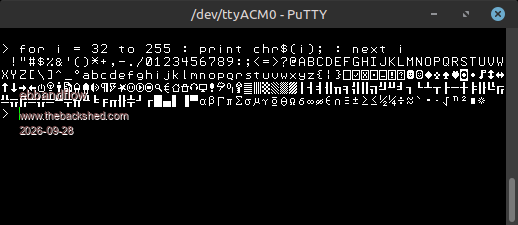
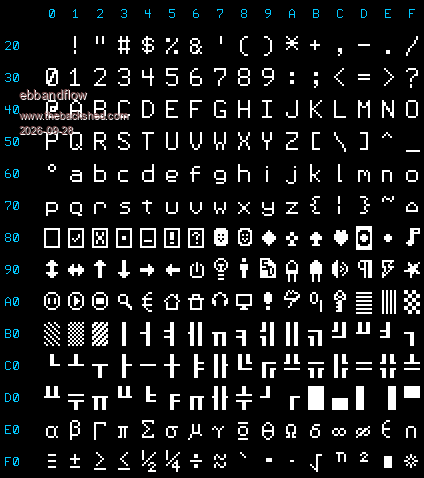
I looked and did not find a suitable font here in the forum (but it may exist?) so I had my assistant convert the font1.h file into a .ttf font file that should work on Win/Mac/Linux, but so far only tested on Linux Mint using puTTY. Attached is a .zip with the font, a .png of the character map, and the python script used to create the font file.
Let me know if it works out for you? I may post a separate topic for this .zip if it's useful
hhtg1968 Senior Member Joined: 25/05/2023 Location: GermanyPosts: 222
Posted: 07:50am 28 Sep 2026
Copy link to clipboard
Print this post
very cool...
but in the mac standard terminal app the utf-8-"limit" breaks out the chars over 7bit - >127
looks like on pico computer with direct screen.
Mixtel90 Guru Joined: 05/10/2019 Location: United KingdomPosts: 9151
Posted: 07:58am 28 Sep 2026
Copy link to clipboard
Print this post
There's no way any 7-bit terminal can display an 8-bit font. In this case the standard mac terminal simply can't be used. They should have got it right in the first place. ;)
Often bit 7 was used to make the character "bold" or as a "control" bit. In the latter case the remaining bits could do all sorts of stuff but wouldn't be displayed. . Edited 2026-09-28 18:08 by Mixtel90Mick

 Notice. New forum software under development. It's going to miss a few functions and look a bit ugly for a while, but I'm working on it full time now as the old forum was too unstable. Couple days, all good. If you notice any issues, please contact me.

 Print this post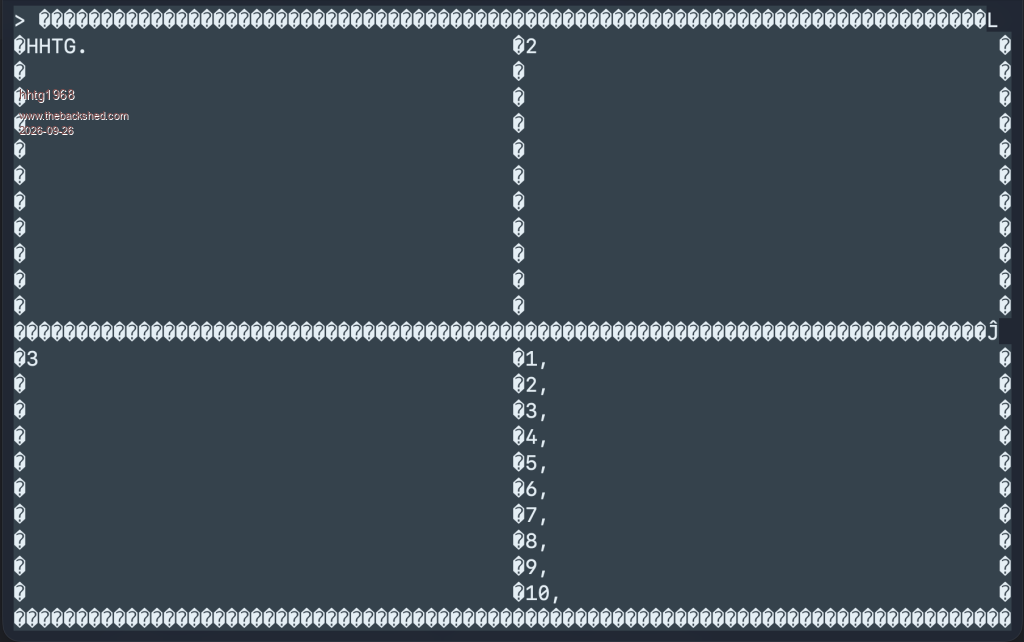






 convert the font1.h file into a .ttf font file that should work on Win/Mac/Linux, but so far only tested on Linux Mint using puTTY. Attached is a .zip with the font, a .png of the character map, and the python script used to create the font file.