Notice. New forum software under development. It's going to miss a few functions and look a bit ugly for a while, but I'm working on it full time now as the old forum was too unstable. Couple days, all good. If you notice any issues, please contact me.
terekgabor Senior Member Joined: 02/01/2026 Location: HungaryPosts: 155
Posted: 04:32pm 23 Apr 2026
Copy link to clipboard
Print this post
@matherp
Hello Peter,
thank you for the new update again! Just for my interest what are the reasons of performance profiling tools are not working with Webmite versions?
Thanks a lot!
G@bor
homa Guru Joined: 05/11/2021 Location: GermanyPosts: 723
Posted: 05:12pm 23 Apr 2026
Copy link to clipboard
Print this post
What a hot sh*t – I'm speechless!
terekgabor Senior Member Joined: 02/01/2026 Location: HungaryPosts: 155
Posted: 05:23pm 23 Apr 2026
Copy link to clipboard
Print this post
@matherp
Hello Peter again,
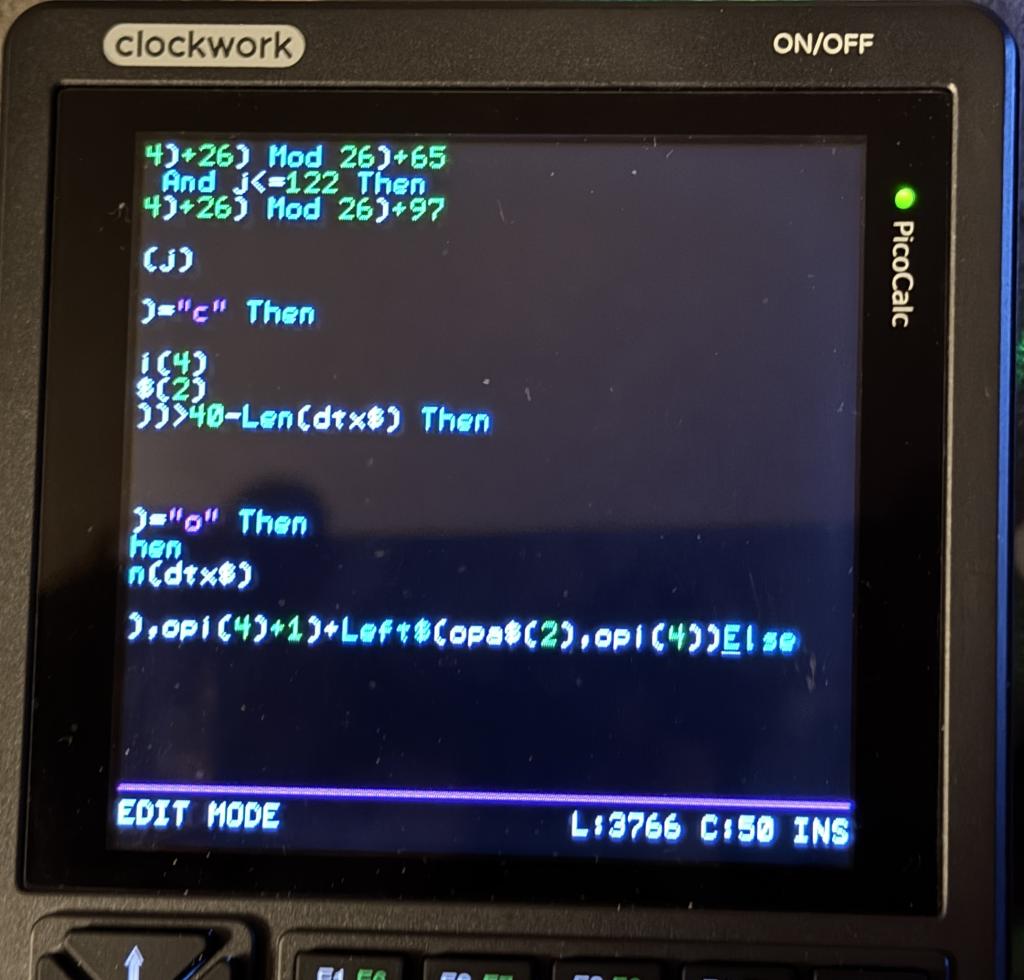
Tested long lines in new version. Something is still wrong when I press backspace after a long line. Beginning of all other line I can’t reach with the cursor until I press enter or quit the editor and go back.
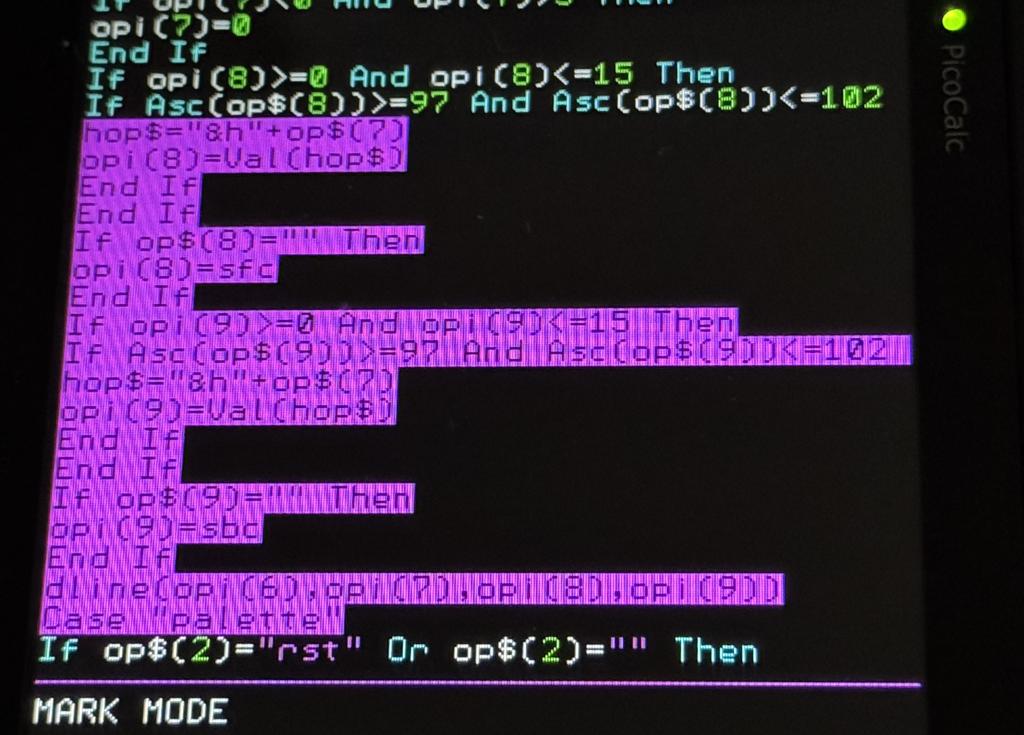
And mark mode color is changing always to the color of the last selected character. See picture.
G@bor
matherp Guru Joined: 11/12/2012 Location: United KingdomPosts: 12055
Posted: 06:56pm 23 Apr 2026
Copy link to clipboard
Print this post
Explain more, where is the cursor positioned? By backspace do you mean the back key on the PicoCalc?
terekgabor Senior Member Joined: 02/01/2026 Location: HungaryPosts: 155
Posted: 04:24am 24 Apr 2026
Copy link to clipboard
Print this post
Hello Peter!
I try to explain better: Cursor is standing in the beginning of a line. The previous line is a long line. Then oress back key on Picocalc. Cursor will jump to the end of the previous long line and also the next line will come with the cursor. But from now I can go to the beginning of the line with cursor (and Home) only in this line. Other lines (previous ones and next ones) - where I can see only the second half of the lines I can’t navigate to the beginning of the lines.
I hope so I was better in explanation.
G@bor
matherp Guru Joined: 11/12/2012 Location: United KingdomPosts: 12055
Implements DO UNTIL condition .... LOOP Fixes various bugs in the editor. Fixes B0 bugs in the optimiser Expands the scope of the optimiser significantly
JanVolk Guru Joined: 28/01/2023 Location: NetherlandsPosts: 420
Posted: 08:59pm 24 Apr 2026
Copy link to clipboard
Print this post
Version V6.03.00B1 is not stable for I2CLCD and with V6.03.00B0 there have been no problems so far.
The LCD screen is jamming. Strange characters appear on the bottom line or are completely jumbled, and the chr$(0) degree sign becomes a square and the cursor appears in the top left of the LCD display and blinks.
PicoMite MMBasic RP2350A V6.03.00B1 Copyright 2011-2026 Geoff Graham Copyright 2016-2026 Peter Mather
> option list PicoMite MMBasic RP2350A V6.03.00B1 OPTION SYSTEM SPI GP10,GP11,GP12 OPTION SYSTEM I2C GP4,GP5 OPTION FLASH SIZE 16777216 OPTION COLOR CODE ON OPTION HEARTBEAT OFF OPTION PICO OFF OPTION CPU SPEED (KHz) 200000 OPTION DISPLAY 50, 100 OPTION SDCARD GP15 OPTION RTC AUTO ENABLE OPTION F1 help
Jan.
matherp Guru Joined: 11/12/2012 Location: United KingdomPosts: 12055
Posted: 09:47pm 24 Apr 2026
Copy link to clipboard
Print this post
With respect, that report is as much use as a chocolate teapot. Program? other connected devices? Nothing has changed in I2C but lots has changed elsewhere so if there is an issue it will relate to other code in your application.
JanVolk Guru Joined: 28/01/2023 Location: NetherlandsPosts: 420
Posted: 10:10pm 24 Apr 2026
Copy link to clipboard
Print this post
Peter,
I understand. If I manage it, I will try tomorrow to extract a part of the program from the whole where the problem occurs with V6.03.00B1.
Jan.
matherp Guru Joined: 11/12/2012 Location: United KingdomPosts: 12055
Posted: 07:26am 25 Apr 2026
Copy link to clipboard
Print this post
I've tested with PicoMiteRP2350V6.03.00B1 on a RP2350A > i2clcd init &H27 > do:i2clcd 4,1,str$(i)+chr$(0):inc i:loop and it runs until I get bored
mozzie Guru Joined: 15/06/2020 Location: AustraliaPosts: 469
Posted: 04:56pm 25 Apr 2026
Copy link to clipboard
Print this post
G'day Peter, Some further testing of the Stepper commands has raised a question, can you please clarify:
If I understand this correctly, to add G-Code to the buffer we have: STEPPER GC - to add directly to the buffer, no variables STEPPER GCODE - to add to buffer, variables allowed (are strings allowed?)
Is there a way to send a string read from a file or created in a program to the G-Code buffer? I have tried several methods but no joy so far.
Currently I am using EXECUTE to feed strings into the buffer but not sure if this is a good or correct method, it does work.
Thanks again for all the new toys to test, its a joyous challenge trying to keep up.
Regards, Lyle.
matherp Guru Joined: 11/12/2012 Location: United KingdomPosts: 12055
Posted: 07:21am 26 Apr 2026
Copy link to clipboard
Print this post
Lyle What version are you using? I'll post a test version that supports GCODE GS gcodestring$ This would allow you to read from file using input abd write directly to the stepper.
Bryan1 Guru Joined: 22/02/2006 Location: AustraliaPosts: 2297
Posted: 07:44am 26 Apr 2026
Copy link to clipboard
Print this post
Peter I'm using the latest firmware V6.03B1 and Lyle has agreed to help with the stepper code for my Surface Grinder project.
That shipment of the DM556's should be here next week so I will get on and mount the stepper motors so between all of us this new stepper code can be used as a state machine where it just works.
Now in the stepper PDF if you can give more info on using the buffer using $'s will go along way in my understanding of what I need to do get this project done.
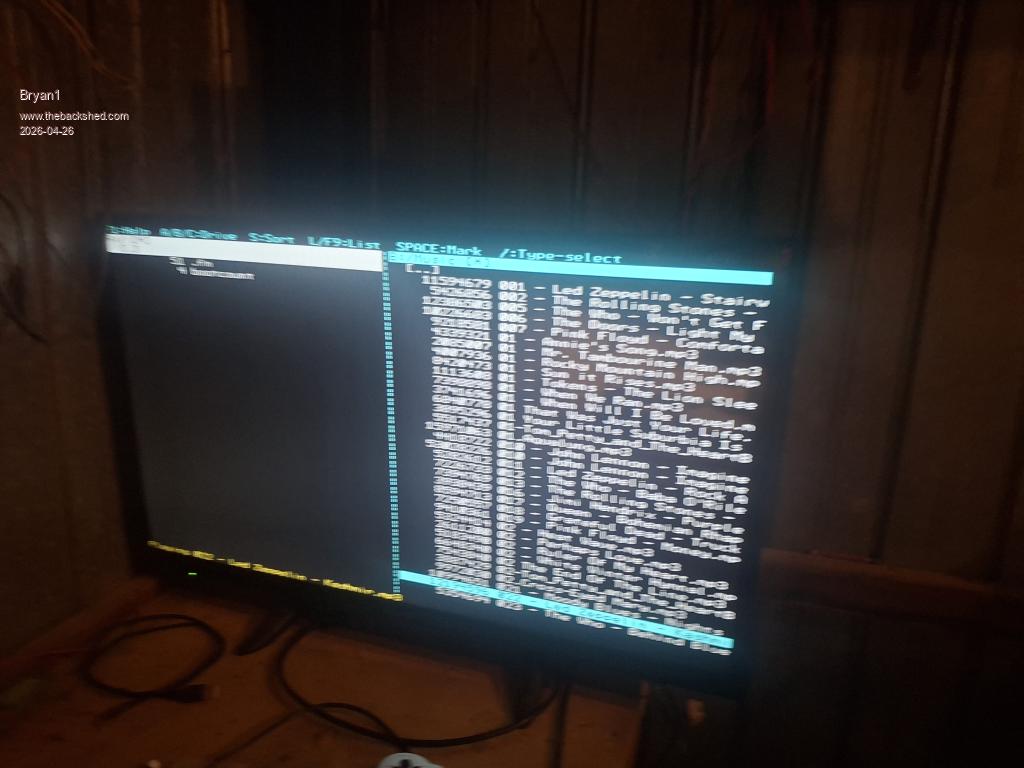
Also a comment on using FM in my case at the moment the divide between A: and B: drive is 50/50 now trying to read the MP.s songs as they have full details the ability to move the middle divider over to the left so the B: folders can be fully seen would be a huge bonus
Here is a picture to show what I mean
As you should see I had Kasmi playing where A: drive doesn't need 50% of the screen
Regards Bryan Edited 2026-04-26 17:58 by Bryan1
matherp Guru Joined: 11/12/2012 Location: United KingdomPosts: 12055
Posted: 07:45am 26 Apr 2026
Copy link to clipboard
Print this post
Version? hdmi, normal vga?
Bryan1 Guru Joined: 22/02/2006 Location: AustraliaPosts: 2297
Posted: 08:02am 26 Apr 2026
Copy link to clipboard
Print this post
HDMIUSB V6.03B1
Also getting the mouse to work in FM as it's there to use Edited 2026-04-26 18:04 by Bryan1
matherp Guru Joined: 11/12/2012 Location: United KingdomPosts: 12055
All versions Optimisation of FOR/NEXT. Note: FOR/NEXT is over twice as fast as DO/LOOP even with the performance caching enabled. Wherever possible use FOR loops rather than DO loops.
RP2350 versions New stepper subcommand to allow the whole gcode to be sent inside a MMbasic string variable STEPPER GS gcode$
mozzie Guru Joined: 15/06/2020 Location: AustraliaPosts: 469
Posted: 01:45pm 26 Apr 2026
Copy link to clipboard
Print this post
G'day Peter, Many thanks once again, STEPPER GS tested on both HDMIUSB and RP2350B boards and appears to be working well
Normal test platform is PicoMiteRP2350A base edition but sometimes its whatever is plugged in / on hand at the time (as above)
Further testing to follow, later in the week all going well.
Regards, Lyle.
terekgabor Senior Member Joined: 02/01/2026 Location: HungaryPosts: 155
Posted: 02:55pm 26 Apr 2026
Copy link to clipboard
Print this post
@matherp
Hello Peter!
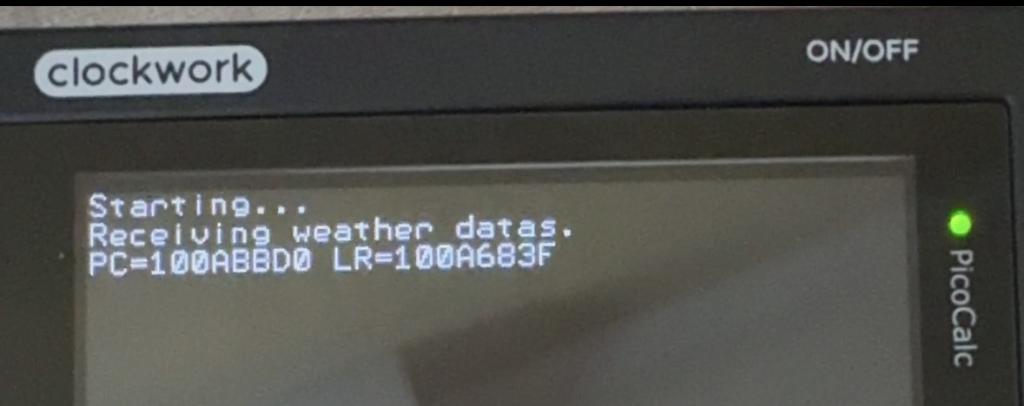
Thanks for B2. I found one problem with it I have never experienced in previous versions. I have a simple test program based on the user manual. Reading data from openweather API. Connection is ok open, get and close. But at the first JSON instruction the system sends the attached message and restarts. Then I lost wifi connection, autorun setup. I can use option wifi again, but same result.
Thanks ,
G@bor
matherp Guru Joined: 11/12/2012 Location: United KingdomPosts: 12055
Posted: 03:49pm 26 Apr 2026
Copy link to clipboard
Print this post
RP2350 or RP2040?
terekgabor Senior Member Joined: 02/01/2026 Location: HungaryPosts: 155
Posted: 04:24pm 26 Apr 2026
Copy link to clipboard
Print this post
RP2350B Pimoroni Plus W
Page 2 of 6
Print this page
The Back Shed's forum code is written, and hosted, in Australia.

 Notice. New forum software under development. It's going to miss a few functions and look a bit ugly for a while, but I'm working on it full time now as the old forum was too unstable. Couple days, all good. If you notice any issues, please contact me.


 Print this post