mozzie
Guru

Joined: 15/06/2020
Location: AustraliaPosts: 469 |
| Posted: 06:49am 21 Apr 2026 |
 Copy link to clipboard Copy link to clipboard |
 Print this post |
|
G'day Bryan,
Great to see you are making progress 
I think the command you are looking for is PEEK(STEPPER BUFFER)
' prog to test stepper functions
Option default integer
On Error skip
Stepper close
SetTick 200,Show_Pos
Stepper init 0.05,32,,1
Stepper axis x,gp0,gp1,gp5,,200,400,50,5
Stepper axis y,gp6,gp7,,,400,600,100,5
Stepper position home
Stepper run 0
Stepper gc g1 x100 y80 f500
Stepper gc g4 p1000
Stepper gc g0 x0 y0
Do
Pause 100
Loop Until Peek(stepper active)=0 ' wait until motion complete
Pause 250 ' wait for final position update
Stepper close
End
Sub Show_Pos
Print @(100,108),"X-POS = " Str$(Peek(stepper x),-4,4)
Print @(100,120),"Y-POS = " Str$(Peek(stepper y),-4,4)
Print @(100,132),"Buffer = " Str$(Peek(stepper buffer),4)
End Sub
Pretty sure this is the latest version of the Stepper Reference.
Stepper_Reference.pdf
Regards, Lyle. |
mozzie
Guru
Joined: 15/06/2020
Location: AustraliaPosts: 469 |
| Posted: 04:23pm 25 Apr 2026 |
Copy link to clipboard |
Print this post |
|
G'day Bryan,
Apologies for the slow response, been madly filling an order that snuck up on me, nearly done. It's going to take a few more days to clean down the machines and pick up all the swarf. Bloody aluminium being non magnetic makes it a bugger to clean up...
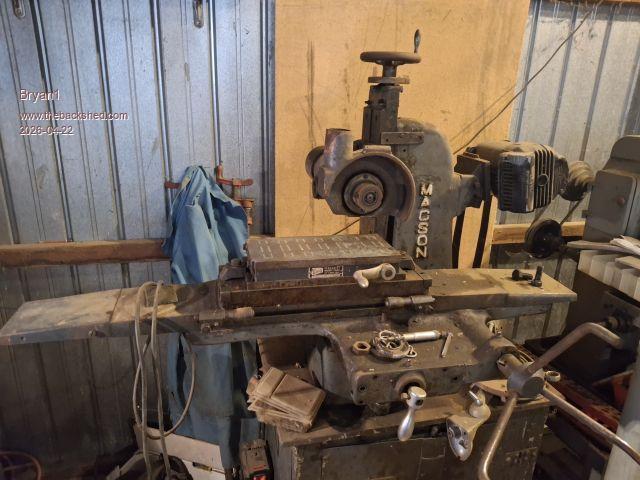
Sadly at this point the surface grinder is a long way down the priority list, I can't even get near it at the moment. However I have found a spare Pico2 so will load that with the latest firmware and your options / IO pins and will test some ideas as time allows, and happy to help you with yours if I can.
As you have probably realized, with the limitations of the PicoMite HDMI you can either have colour depth or resolution, but not really both. Its bloody good for what it is within those limitations. The surface grinder here will get an ILI9488 LCD so a much simpler screen will do:
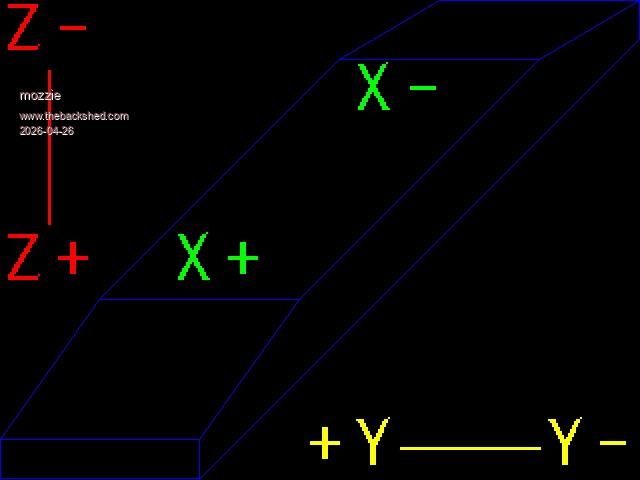
This was drawn with the code below (currently tested 640x480 HDMI mode 3)
'Prog to draw Surface Grinder
MODE 3
Option default integer
Box 0,439,200,40,1,&hff ' lower end
Line 199,479,639,39,1,&hff ' lower diagonal
Line 639,39,639,0,1,&hff ' upper vertical
Line 639,0,439,0,1,&hff ' upper end
Line 639,0,539,59,1,&hff
Line 439,0,339,59,1,&hff
Line 539,59,339,59,1,&hff
Line 339,59,99,299,1,&hff
Line 539,59,299,299,1,&hff
Line 99,299,299,299,1,&hff
Line 99,299,0,439,1,&hff
Line 299,299,199,439,1,&hff
Text 0,0,"Z-",,5,2,&hff0000
Text 0,230,"Z+",,5,2,&hff0000
Line 48,70,48,224,3,&hff0000
Text 300,415,"+Y Y-",,5,2,&hffff00
Line 400,447,540,447,3,&hffff00
Text 170,230,"X+",,5,2,&hff00
Text 350,60,"X-",,5,2,&hff00
End
Still need to scale for LCD and add feed rates and positions for CNC side.
More work to do...
Regards, Lyle. |

 Notice. New forum software under development. It's going to miss a few functions and look a bit ugly for a while, but I'm working on it full time now as the old forum was too unstable. Couple days, all good. If you notice any issues, please contact me.




 So into User settings where I changed my account for the second time back to Administrator did a reboot and got back into Device Manager and the CH340 settings where the baud rate was 9600 so changed it to 115200 did another reboot and when I started MCCC it connected straight away
  so off to Repco for a new one.