Posted: 01:11pm 09 Mar 2026 Copy link to clipboard
Martin H. Guru
For PicoMite V6.02.01 RC 1 or later Here is an example of using BLIT RESIZE somewhat outside its intended use. BLIT RESIZE draws a floor similar to the game Ballblazer. At this speed, the simultaneous view for the second player/NPC would also not be a problem. Movement is again controlled using the WS AD keys.
Dim integer mmb4w Dim integer Bcl(16,160),speed=3 phase ' --- Initialisierung --- CLS ' --- Init_Graphics: Setup 320x240 Resolution, Layer-Buffer). If MM.DEVICE$ = "MMBasic for Windows" Then mmb4w = 1 If mmb4w Then MODE 7 PAGE WRITE 1 CLS Else 'Pico MODE 2 FRAMEBUFFER create : FRAMEBUFFER write f End If ' 2. Z-Table Dim integer x,y, z_dist(38) For y = 0 To 37 Read scal:z_dist(y)=16+(scal/4) Next y
CLS 'clear FRAMEBUFFER Dim integer hh=120,hw=160,f,n,w Dim integer c1=RGB(0,180,0),c2=RGB(White) Dim Integer sky=RGB(0,85,255),sky1=RGB(0,170,255),sky2=RGB(cyan) ' --- Create_Checkerboard Source For f =0 To 288 Step 32 Line f,hh-1,f+15,hh-1,,c1:Line f+16,hh-1,f+31,hh-1,,c2 Line f,hh,f+15,hh,,c2:Line f+16,hh,f+31,hh,,c1 Next Box 8,16,304,72,,sky,sky Line 8,51,311,51,,sky1:Line 8,52,311,52,,sky2 main: p=0 Do For y = 0 To 37 mult=y<<1 f=z_dist(y):sy=y+53:w=200-f*2-y2'w=144-mult If mmb4w Then IMAGE RESIZE_FAST f+camX,hh-Bcl(p,y+50), w,1, 8, y+53,304,1 Else BLIT RESIZE f,f,f+camX,hh-Bcl(p,y+50), w,1, 8, y+53,304,1 End If Next y ' --- Keyboard --- k$ = Inkey$ Select Case k$ Case "w", "W" Inc P,speed:p=p Mod 15 ' vorwrts
Case "s", "S" p=p-speed:If p<0 Then p=15
Case "a", "A" camX = camX - speed:If camX<0 Then camX=31
Case "d", "D" camX = camX + speed:camX = camX Mod 32 End Select If mmb4w Then Page copy 1,0 'Page write 0 Else FRAMEBUFFER copy f,n,b End If 'pause 20 Loop Sub phase 'Precalculation pharse lookup table Local integer X,Y, SW = 120,CYCLES = 7 Local C_VALUE = (2 * Pi * CYCLES) / (SW * SW),START_PHASE = 0,Agl For dst=0 To 15 For X = 0 To 119 Agl = C_VALUE * X * X + START_PHASE Y = Int(Sin(Agl)*5) bcl(dst,120-x)=Not(y>0) Next X Inc START_PHASE, 0.393 Next End Sub
Runs faster smoother on Pico than on Windows Edited 2026-03-10 00:57 by Martin H.
Posted: 08:08pm 09 Mar 2026 Copy link to clipboard
vegipete Guru
That's fun! Runs pretty fast on MMB4W if your keyboard repeat rate is high.
Here's a modification with acceleration and friction: (still AWSD keys to move) Only tested on MMB4W.
Dim integer mmb4w Dim integer Bcl(16,160),speed=3 CONST SMAX=0.025 CONST FRICTION=0.9999 CONST ACCEL=0.005 phase ' --- Initialisierung --- CLS ' --- Init_Graphics: Setup 320x240 Resolution, Layer-Buffer). If MM.DEVICE$ = "MMBasic for Windows" Then mmb4w = 1 If mmb4w Then MODE 7 PAGE WRITE 1 CLS Else 'Pico MODE 2 FRAMEBUFFER create : FRAMEBUFFER write f End If ' 2. Z-Table Dim integer x,y, z_dist(38) For y = 0 To 37 Read scal:z_dist(y)=16+(scal/4) Next y
CLS 'clear FRAMEBUFFER Dim float xpos=0,ypos=0,dx=0,dy=0 Dim integer hh=120,hw=160,f,n,w Dim integer c1=RGB(0,180,0),c2=RGB(White) Dim Integer sky=RGB(0,85,255),sky1=RGB(0,170,255),sky2=RGB(cyan) ' --- Create_Checkerboard Source For f =0 To 288 Step 32 Line f,hh-1,f+15,hh-1,,c1:Line f+16,hh-1,f+31,hh-1,,c2 Line f,hh,f+15,hh,,c2:Line f+16,hh,f+31,hh,,c1 Next Box 8,16,304,72,,sky,sky Line 8,51,311,51,,sky1:Line 8,52,311,52,,sky2 main: p=0 Do if abs(dx) < .0001 then dx = 0 else dx = dx * FRICTION inc xpos,dx end if camX = xpos mod 32 : if camX < 0 then inc camX,32
if abs(dy) < .0001 then dy = 0 else dy = dy * FRICTION inc ypos,dy end if p = ypos mod 15 : if p < 0 then inc p,15
For y = 0 To 37 'y2 = y<<1 'mult=y<<1 f=z_dist(y):sy=y+53:w=200-f*2 '-y2 'w=144-mult If mmb4w Then IMAGE RESIZE_FAST f+camX,hh-Bcl(p,y+50), w,1, 8, y+53,304,1 Else BLIT RESIZE f,f,f+camX,hh-Bcl(p,y+50), w,1, 8, y+53,304,1 End If Next y ' --- Keyboard --- k$ = Inkey$ Select Case k$ Case "w", "W" 'Inc P,speed:p=p Mod 15 ' vorwrts inc dy,ACCEL dy = min(dy, SMAX)
Case "s", "S" 'p=p-speed:If p<0 Then p=15 inc dy,-ACCEL dy = max(dy,-SMAX)
Case "a", "A" 'camX = camX - speed:If camX<0 Then camX=31 inc dx,-ACCEL dx = max(dx,-SMAX)
Case "d", "D" 'camX = camX + speed:camX = camX Mod 32 inc dx,ACCEL dx = min(dx, SMAX)
End Select If mmb4w Then Page copy 1,0 'Page write 0 Else FRAMEBUFFER copy f,n,b End If 'pause 20 Loop Sub phase 'Precalculation pharse lookup table Local integer X,Y, SW = 120,CYCLES = 7 Local C_VALUE = (2 * Pi * CYCLES) / (SW * SW),START_PHASE = 0,Agl For dst=0 To 15 For X = 0 To 119 Agl = C_VALUE * X * X + START_PHASE Y = Int(Sin(Agl)*5) bcl(dst,120-x)=Not(y>0) Next X Inc START_PHASE, 0.393 Next End Sub
Posted: 04:23am 10 Mar 2026 Copy link to clipboard
Martin H. Guru
Hey Pete, it gives you a completely different riding experience, reminiscent of skating. Great addition. Cheers Martin Edit:Sadly, it runs extremely slowly(is not due to the image generation) on the first attempt on the Pico.... I'll have a look what the problem might be. Edited 2026-03-10 18:26 by Martin H.
Posted: 04:51pm 10 Mar 2026 Copy link to clipboard
vegipete Guru
I tuned the SMAX (max speed,) FRICTION and ACCEL values for MMB4W, which obviously calculates much faster. They will need tuning for the PicoMite.
Posted: 05:12pm 10 Mar 2026 Copy link to clipboard
Martin H. Guru
Const SMAX=1.8 Const FRICTION=1 Const ACCEL=0.5 They run quite well, not quite as nicely as under Windows, but still quite pleasantly. Thanks for the support. Martin
Posted: 10:46am 22 Mar 2026 Copy link to clipboard
Martin H. Guru
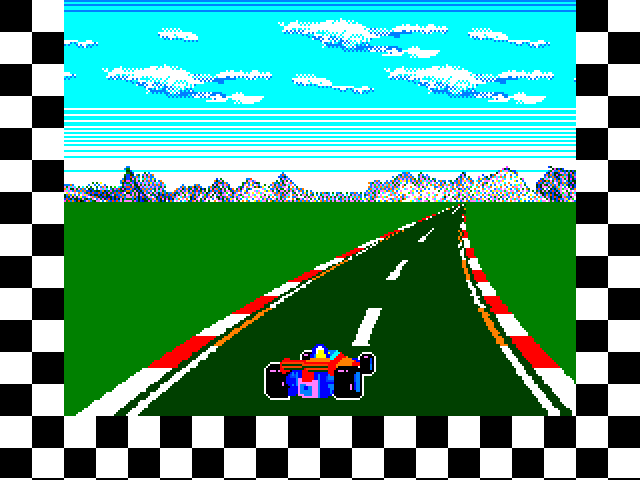
Since it's Sunday, I dug up some old code and sped things up using the new BLIT RESIZE command
On the PICO2 HDMI @252MHz, this gives me 47 FPS, so there's now room to include enemie cars, trees, and signs