|
Forum Index : Microcontroller and PC projects : PicoMiteVGA DEMO
| Author | Message | ||||
| javavi Guru Joined: 01/10/2023 Location: UkrainePosts: 521 |
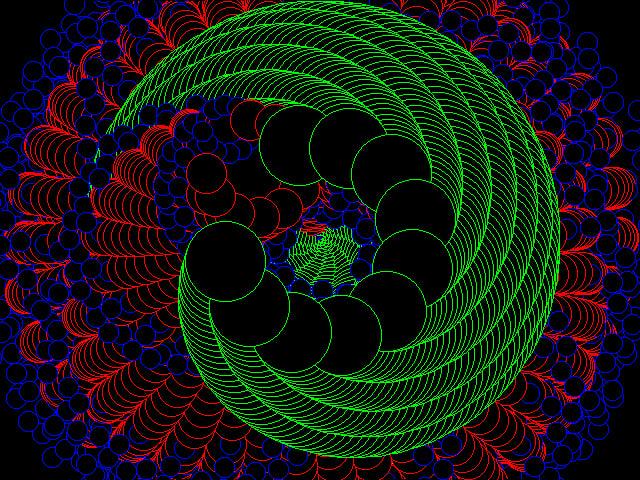
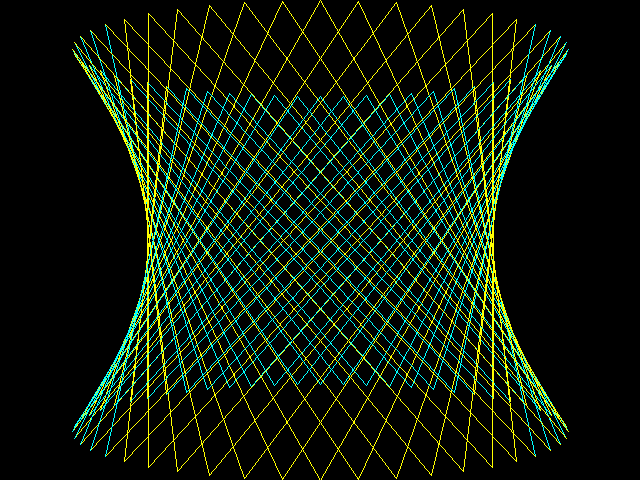
Landscape ![]() MODE 2 CLS Map(1) r=Rad(35):m%=4 For y%=0 To MM.VRES For x%=0 To MM.HRES h=0 For i%=1 To 4 x0=x%/i%:y0=y%/i% a=r*i% Co=Cos(a):Si=Sin(a) s=x0*Co-y0*Si t=x0*Si+y0*Co h=h+Sin(s/5)*4+Sin(t/7)*5 Next If h>-2 Then Color Map(4+Abs(h) Mod 7) Pixel x0*m%,y0*m% EndIf Next : Next |
||||
| javavi Guru Joined: 01/10/2023 Location: UkrainePosts: 521 |
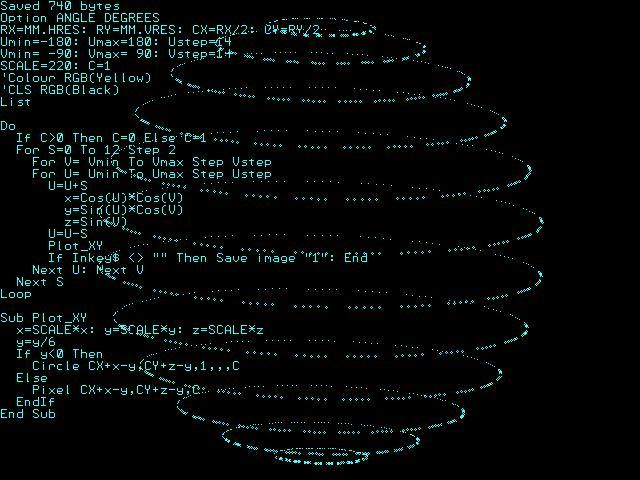
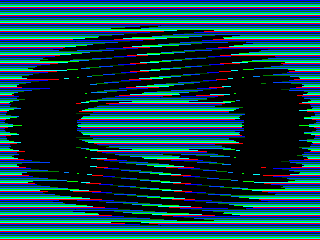
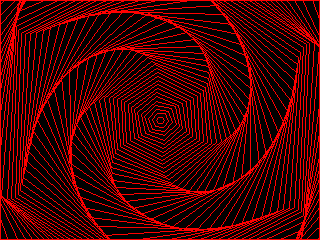
Plasma ![]() ![]() MODE 2 Map Reset Dim integer cm(15)=(0,15,7,1,0,0,0,0,0,0,0,0,0,0,0,0) Colour Map cm(),cm() r=Rad(35) For Y0%=0 To MM.VRES For X0%=0 To MM.HRES h=0 For i%=1 To 3 x=(X0%-10)/i%:y=Y0%/i%:a=r*i% C0=Cos(a):S0=Sin(a) s=x*C0-y*S0:t=x*S0+y*C0 h=h+Sin(s/5)*4+Sin(t/7)*5 Next Pixel X0%,Y0%,Map((h+24)Mod 16) Next :Next Do T=cm(0) For i%=0 To 14:cm(i%)=cm(i%+1):Next cm(15)=T For i%=0 To 15:Map(i%)=cm(i%):Next Map Set Pause 50 Loop |
||||
| AlbertR Regular Member Joined: 29/05/2025 Location: GermanyPosts: 100 |
I love demos like this and can watch them over and over again. I think a plasma demo is a must, great work! ![]() Albert Edited 2025-11-02 01:38 by AlbertR |
||||
| stanleyella Guru Joined: 25/06/2022 Location: United KingdomPosts: 2702 |
nice |
||||
| Pluto Guru Joined: 09/06/2017 Location: FinlandPosts: 404 |
Cannot resist to immediately run and enjoy these interesting artworks. Pluto |
||||
| javavi Guru Joined: 01/10/2023 Location: UkrainePosts: 521 |
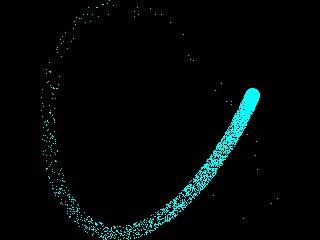
Plasma Watch ![]() ![]() MODE 2 Map Reset Dim integer CM(15)=(0,15,7,3,1,0,0,0,0,0,0,0,0,0,0,0) Colour Map CM(),CM() FRAMEBUFFER LAYER FRAMEBUFFER WRITE L r=Rad(35) For Y0%=0 To MM.VRES For X0%=0 To MM.HRES h=0 For i%=1 To 3 x=(X0%-10)/i%:y=Y0%/i%:a=r*i% C0=Cos(a):S0=Sin(a) s=x*C0-y*S0:t=x*S0+y*C0 h=h+Sin(s/5)*4+Sin(t/7)*5 Next Pixel X0%,Y0%,Map((h+64)Mod 16) Next :Next FRAMEBUFFER WRITE N XCntr%=MM.HRES\2:YCntr%=MM.VRES\2 XC%=XCntr%:YC%=YCntr%:CC%=1 XDir%=1:YDir%=1 Do TC%=CM(1) For i%=1 To 14:CM(i%)=CM(i%+1):Next CM(15)=TC% For i%=1 To 15:Map(i%)=CM(i%):Next Map Set Inc CC%,-1:If CC%=0 Then CC%=15 CLS Text XC%,YC%,Time$,"CM",6,,Map(CC%) Inc XC%,XDir%:Inc YC%,YDir% If XC%>XCntr%+32 Then XDir%=-1 If XC%<XCntr%-32 Then XDir%=1 If YC%>YCntr%+95 Then YDir%=-1 If YC%<YCntr%-95 Then YDir%=1 Pause 50 Loop |
||||
| twofingers Guru Joined: 02/06/2014 Location: GermanyPosts: 1704 |
I like this thread because I can sometimes look up how to use certain graphics commands here. Many thanks, Vadim, for your tireless work! My StarFlight screensaver for HDMI (Pico2, Mode 1 & 3) is a small contribution. The code is optimized for low memory usage (~1200 Bytes): ![]() '*** STARFLIGHT Screensaver - packed, HDMI *** Option default integer starflight() End Sub starflight MODE 3:CLS Static N=120,S(N),ZM=50,ZS=2,SW=MM.HRES,SH=MM.VRES,CX=SW/2,CY=SH/2 Static MSW=SW-MM.Info(fontwidth),Z1=ZM*.7,Z2=ZM/4 Local i,WX,WY,WZ,SX,SY,COL,CH$ For I=0 To N:WX=Rnd*SW-CX:WY=Rnd*SH-CY:WZ=Rnd*ZM+1 S(I)=PkStar(WX,WY,WZ):Next I Do :For I=0 To N:UnPkStar(S(I),WX,WY,WZ,SX,SY) Print @(SX,SY)" ";:Color RGB(CYAN):Print @(CX,CY)Chr$(142);:Inc WZ,-ZS If WZ>0 Then SX=WX*ZM/WZ+CX:SY=WY*ZM/WZ+CY If SX>=0 And SX<MSW And SY>=0 And SY<SH Then COL=RGB(WHITE) Select Case WZ Case >Z1:CH$=Chr$(250) Case Z2 To Z1:CH$=Chr$(249) Case Else :CH$=Chr$(142):COL=RGB(ORANGE) End Select :Color COL:Print @(SX,SY)CH$;:S(I)=PkStar(WX,WY,WZ,SX,SY) Else :S(I)=PkStar(WX,WY,WZ):End If Else :WX=Rnd*SW-CX:WY=Rnd*SH-CY:S(I)=PkStar(WX,WY,ZM):End If Next :Loop While Inkey$="" End Sub Function PkStar(WX,WY,WZ,SX,SY) Static M=2^12-1 PkStar=(WX And M) Or ((WY And M)<<12) Or ((WZ And M)<<24) Or ((SX And M)<<36) Or ((SY And M)<<48) End Function Sub UnPkStar(PD,WX,WY,WZ,SX,SY) Static SC=2^12,M=SC-1,SL=SC/2-1 WX=(PD And M):If WX>SL Then WX=WX-SC WY=((PD>>12) And M):If WY>SL Then WY=WY-SC WZ=((PD>>24) And M):SX=((PD>>36) And M):SY=((PD>>48) And M) End Sub N - Star Count Index Limit: Defines the total number of stars (here: 120 stars). S() - Star Data Array: An array that stores the packed state data (coordinates, etc.) for each star. Replaces S(n,5). ZM - Z-Maximum: Defines the maximum depth (Z) in 3D space (50 units). ZS - Z-Speed: Defines the speed (1 unit per frame) at which the depth (WZ) of each star is reduced. SW - Screen Width: Stores the horizontal resolution (MM.HRES) of the display. SH - Screen Height: Stores the vertical resolution (MM.VRES) of the display. CX - Center X: The X-coordinate of the screen center (SW/2), used as an offset for the projection. CY - Center Y: The Y-coordinate of the screen center (SH/2), used as an offset for the projection. MSH - Max Screen Height: Defines the maximum Y screen boundary for drawing (SH - 2 * FontHeight). Z1 - Z-Level 1: Depth (ZM * 0.7), defines the first color/character change threshold (Farthest to Mid-range). Z2 - Z-Level 2: Depth (ZM / 4), defines the second color/character change threshold (Mid-range to Closest). Adapting it for Mode 2 and the terminal is possible by replacing the star-characters with characters using ASCII codes less than 128 (e.g. CH$=".","+","*"). Of course, it won't look as good then. There are still 3 million miles to go home ... Regards Michael causality ≠ correlation ≠ coincidence |
||||
| Volhout Guru Joined: 05/03/2018 Location: NetherlandsPosts: 5542 |
I know it is 100* pollution here, but when I see stars, I have to run this one-liner game... yes it is a game, use left and right keys. Picomite mode 1 (VGA or HDMI). 1 Print @(8*c,84)"V":Pause 99:b=Asc(Inkey$):c=c+(b=131)-(b=130):a%=80*Rnd():Print @(8*a%,468)"*":If Pixel(8*c+4,89)=0 Then 1 Volhout PicomiteVGA PETSCII ROBOTS |
||||
| twofingers Guru Joined: 02/06/2014 Location: GermanyPosts: 1704 |
This is the older, smaller version of the Starflight screensaver. I've added automatic screen mode adjustment. I regret that we don't have a way to directly query the screen mode (mm.info(Mode)). This version omits packing the star arrays, but therefore can only handle fewer stars. It seems to work fine for up to 100 stars. Update: MODE 3 starflight End Sub starflight CLS Static M=80,ZM=80,ZS=2,SW=MM.HRES,SH=MM.VRES,CX=SW/2,CY=SH/2 Static MSW=SW-MM.Info(fontwidth) Local S(M,5),CS$(1)=(" ",Chr$(142)) For I=1 To M:resStars(S(),SW-CX,SH-CY,ZM):S(I,4)=0:S(I,5)=0:Next I Do :For I=1 To M:Print @(S(I,4),S(I,5))" "; Color RGB(CYAN):Print @(CX,CY)CS$(Rnd);:S(I,3)=S(I,3)-ZS:ZV=S(I,3) If ZV>0 Then:XP=S(I,1)*ZM/ZV:YP=S(I,2)*ZM/ZV:SX=XP+CX:SY=YP+CY If SX>=0 And SX<MSW And SY>=0 And SY<SH Then:COL=RGB(WHITE) Select Case ZV Case >ZM/2:CH$=Choice(SW>=640,Chr$(250),".") Case ZM/4 To ZM/2:CH$=Choice(SW>=640,Chr$(249),Chr$(96)) Case Else :CH$=Choice(SW>=640,Chr$(142),"*"):COL=RGB(ORANGE) End Select Color COL:Print @(SX,SY)CH$;:S(I,4)=SX:S(I,5)=SY:Else S(I,1)=Rnd*SW-CX:S(I,2)=Rnd*SH-CY:S(I,3)=Rnd*ZM EndIf :Else :resStars(S(),SW-CX,SH-CY,ZM):EndIf :Next Loop While Inkey$="" End Sub Sub resStars(S(),X,Y,Z) S(I,1)=Rnd*X:S(I,2)=Rnd*Y:S(I,3)=Rnd*Z End Sub | M | Maximum number of stars in the simulation. Set to 80. | ZM | Maximum Z-depth for the stars. This defines the farthest point in the simulated 3D space. Set to 80. | ZS | Z-step or speed increment per frame. This value is subtracted from a star's Z-coordinate to simulate forward movement. | SW | Screen Width (Horizontal Resolution) retrieved from MM.HRES. | SH | Screen Height (Vertical Resolution) retrieved from MM.VRES. | CX | Center X-coordinate of the screen: SW / 2. Used as the screen's projection center. | CY | Center Y-coordinate of the screen: SH / 2. Used as the screen's projection center. | MSW | Maximum visible Screen Width for plotting characters: SW - MM.Info(fontwidth). Used to prevent plotting characters outside the screen boundary on the right side. | CS$(1) | Character Set for the center of the screen. Contains a space character and a special character (Chr$(142)). | S | Star Data Array. Dimensioned S(M, 5). Each row I represents a star, and the columns store its properties. Enjoy! Michael Edited 2025-12-14 05:00 by twofingers causality ≠ correlation ≠ coincidence |
||||
| The Back Shed's forum code is written, and hosted, in Australia. | © JAQ Software 2025 |